Everyday weather, clearly explained iOS & iPadOS on the App Store Android on Google Play macOS on the Mac App Store Web coming soon
Weather that
makes sense
for your day.
Know what to wear, when to head out, and whether rain could change your plans. Sensecast brings your forecast, live radar and weather alerts together, with clear explanations whenever you want a little more detail.


 Launched Sep 29, 2026
Rated 5.0/5 on the App Store
“Love it” “One of the best weather apps I had. I really like the power grid tracker. When the power is out due to bad weather I can check the grid and weather at the same time.”
— itpro82 · App Store review
Free to useNo account neededNo ads15 sources free
Google Play's public install count, October 2026 — reached in the app's first two weeks on the store
Start with your day
A little more clarity.
A little less guesswork.
A jacket for the commute? A dry stretch to walk the dog? A cooler time to work outside? Find the weather details that help you decide, all in one place.
Plan around the weather
See how the day is likely to feel before you step outside. Check the hours ahead for your commute, errands, outdoor work or weekend plans.
- Current conditions, hourly forecasts and a seven-day outlook
- Feels-like temperature, rain chances and wind
- Air quality and UV readings for time outside
- Saved places for home, work and wherever you are headed
Your daily viewArrange the dashboard around the details you check most.
Know what the numbers mean
Wondering why it feels hotter than the forecast, or what dew point means? Tap a reading for an everyday explanation, with more detail when you want it.
- Simple explanations of comfort, rain, wind and more
- Scales that put the current reading in context
- 56 searchable Weather Academy topics, all free
- Optional science sections and a switch to hide the tips
At your paceCheck the forecast in a moment, or stay and explore.
Keep an eye on changes
See where rain is moving and check for weather that could interrupt your plans. Official alerts and local outage information help you keep track when conditions change.
- Live radar with recent rain movement and a short-term outlook
- National Weather Service watches and warnings in the U.S.
- Local power outage counts and utility contact details where available
- Storm, wildfire, earthquake and hurricane trackers for a closer look
When you want morePro adds a combined Hazard Map and shareable storm reports.
An example
Will it feel comfortable or sticky?
Dew point helps describe how muggy the air feels. You do not need to know the term to use it: tap the reading and Sensecast shows a scale from crisp and dry to sticky and humid. Here is the scale you will find in the app.
Everyday tools
For a quick check
or a closer look.
A view that follows your sky
Rain, sunshine, clouds and snow bring the current conditions to life. The background follows your local time from sunrise to night, so the app feels like the day outside.
See which way rain is moving
Check for showers before a walk, a drive or the school run. Play back the past two hours, see the latest rain map, and explore an estimated outlook up to ninety minutes ahead.
A heads-up when air pressure drops
If you keep track of changes in air pressure, let Sensecast do the checking. Get a notification when pressure drops by 3 hPa or more within three hours.
A weather record after a storm
Gather weather information for a date and place into a report you can share. Each has a reference number the recipient can check, with weather records and available warnings to support property or solar claims.
The weather without opening the app
Keep the forecast on your home screen with widgets. On iPhone, add Lock Screen widgets or a Live Activity; on Android, see the temperature in the status bar or Quick Settings. Pro adds widget colour themes and Weather Wallpaper.
Check the weather and get on with your day
Start using forecasts and radar without creating an account. Your saved places and preferences stay on your device, and there are no ads competing for your attention.
On the phone
Take a look around.
These are real screens from Sensecast. Start with the daily forecast, check the rain, arrange your dashboard, or tap a reading to learn more.
Dashboard
Your day at a glance
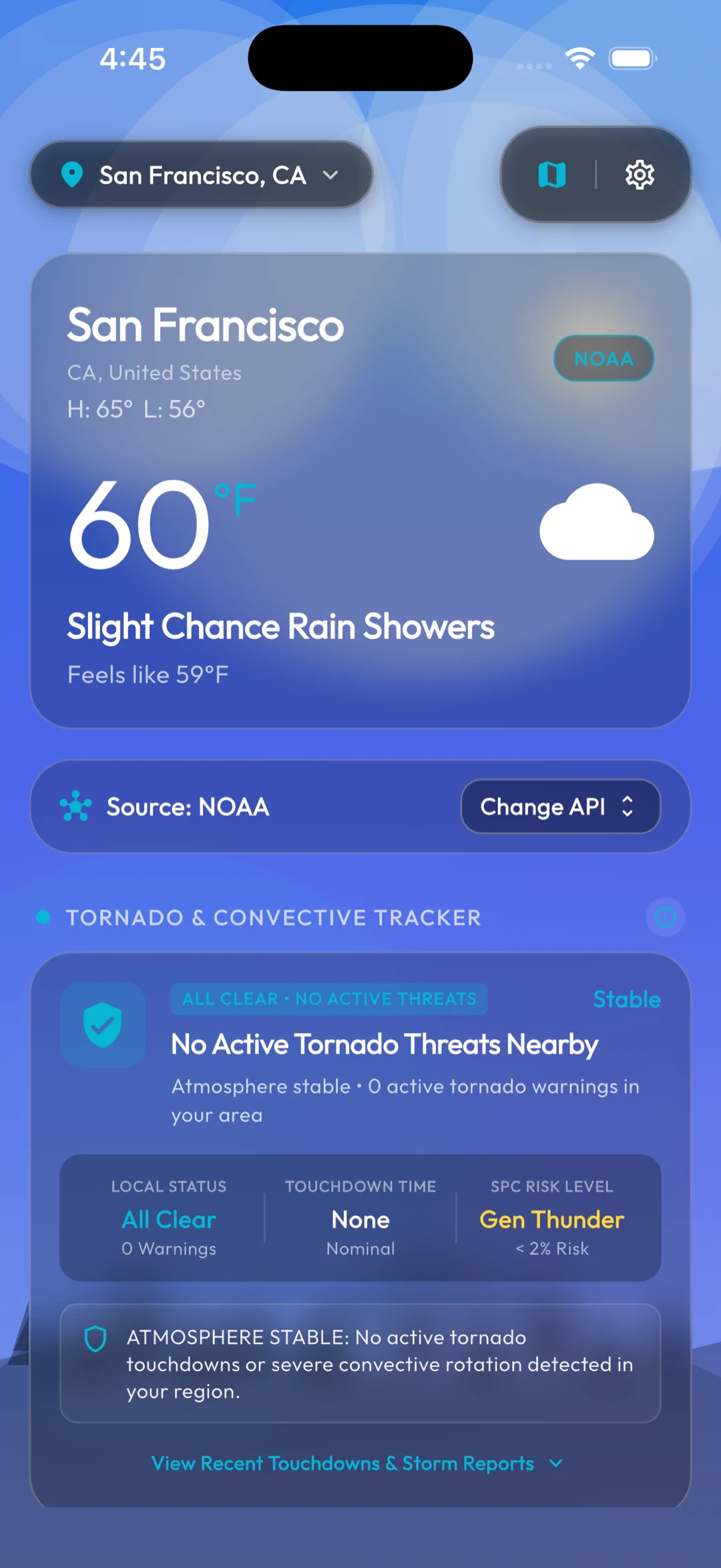
See the current weather, when it last updated and where it came from. Active U.S. weather advisories appear just below the forecast.
Doppler radar
Follow the rain
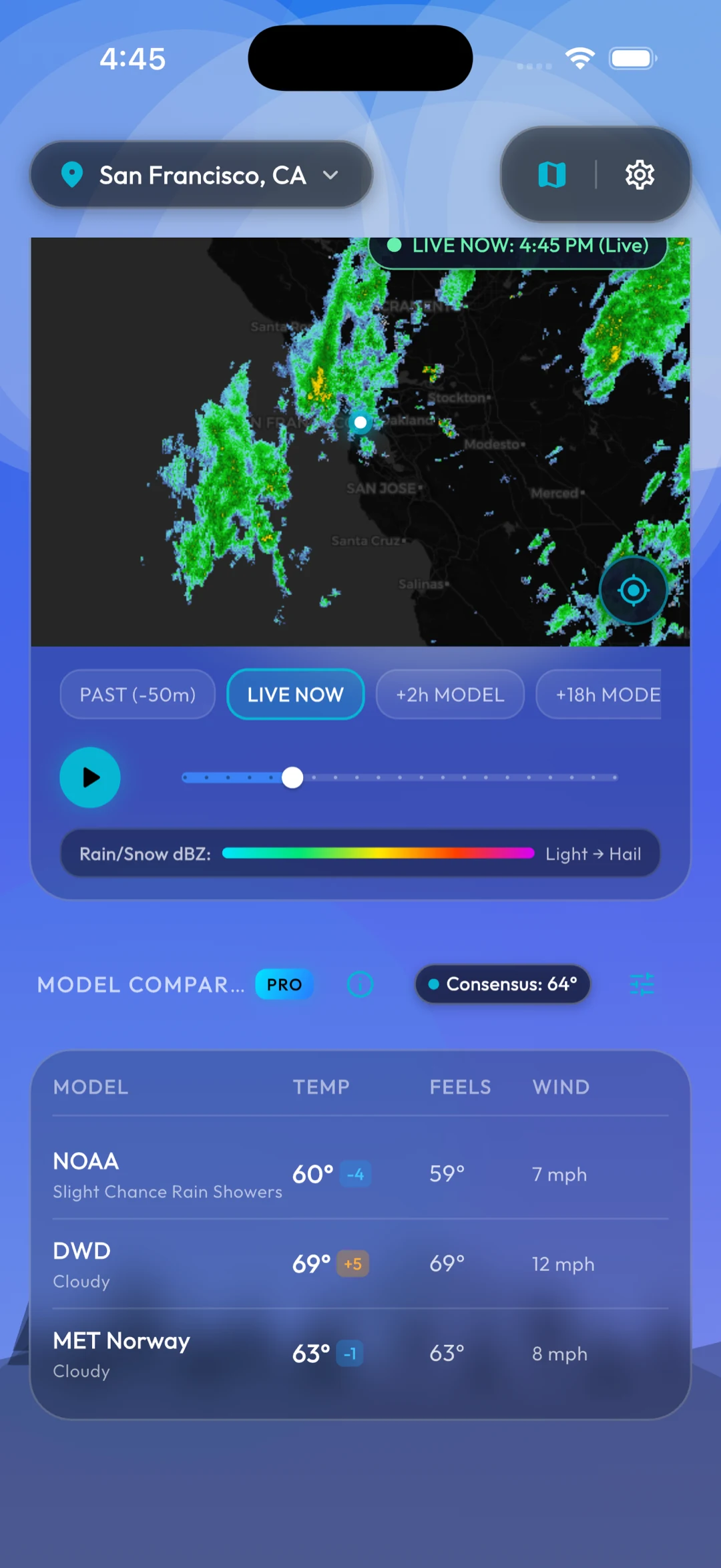
Play the rain map to see where showers have been moving, check the latest view, or look at the estimated path ahead.
Widget Board
A layout that suits you
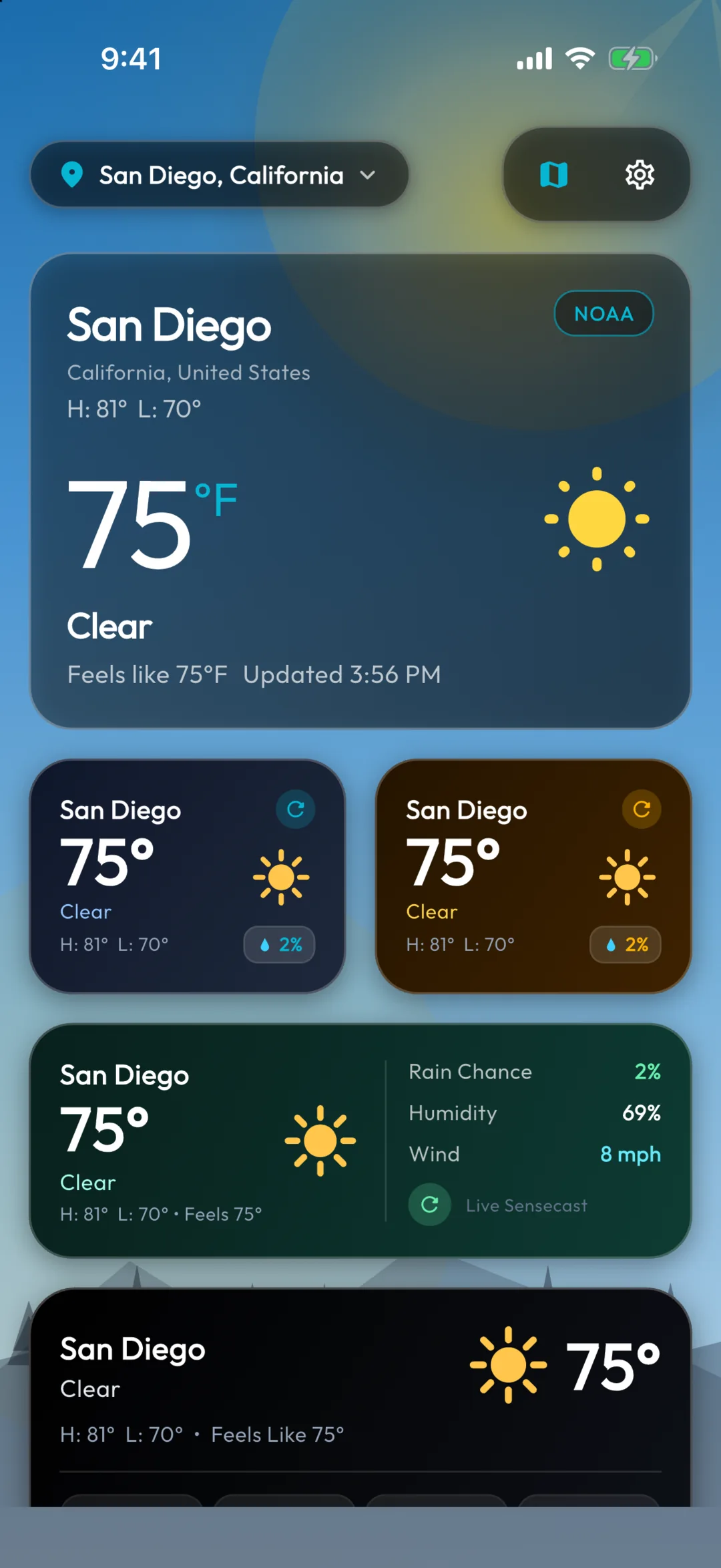
Prefer a board of weather widgets? Turn on Widget Board Layout in Settings. Sensecast remembers your choice.
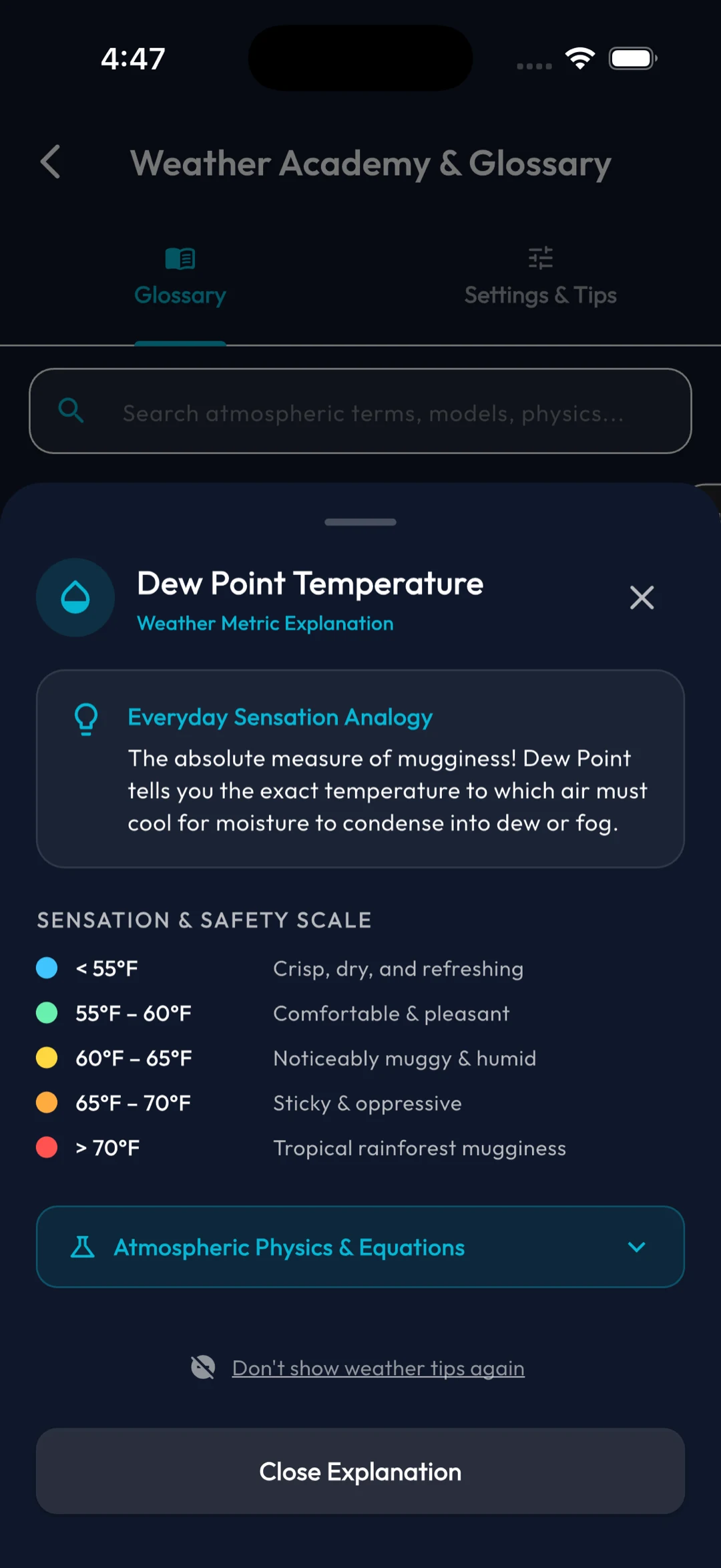
Tap to learn
A little help with the numbers
Get a plain-language explanation, see where the reading sits on a scale, and open the science section when you want more.
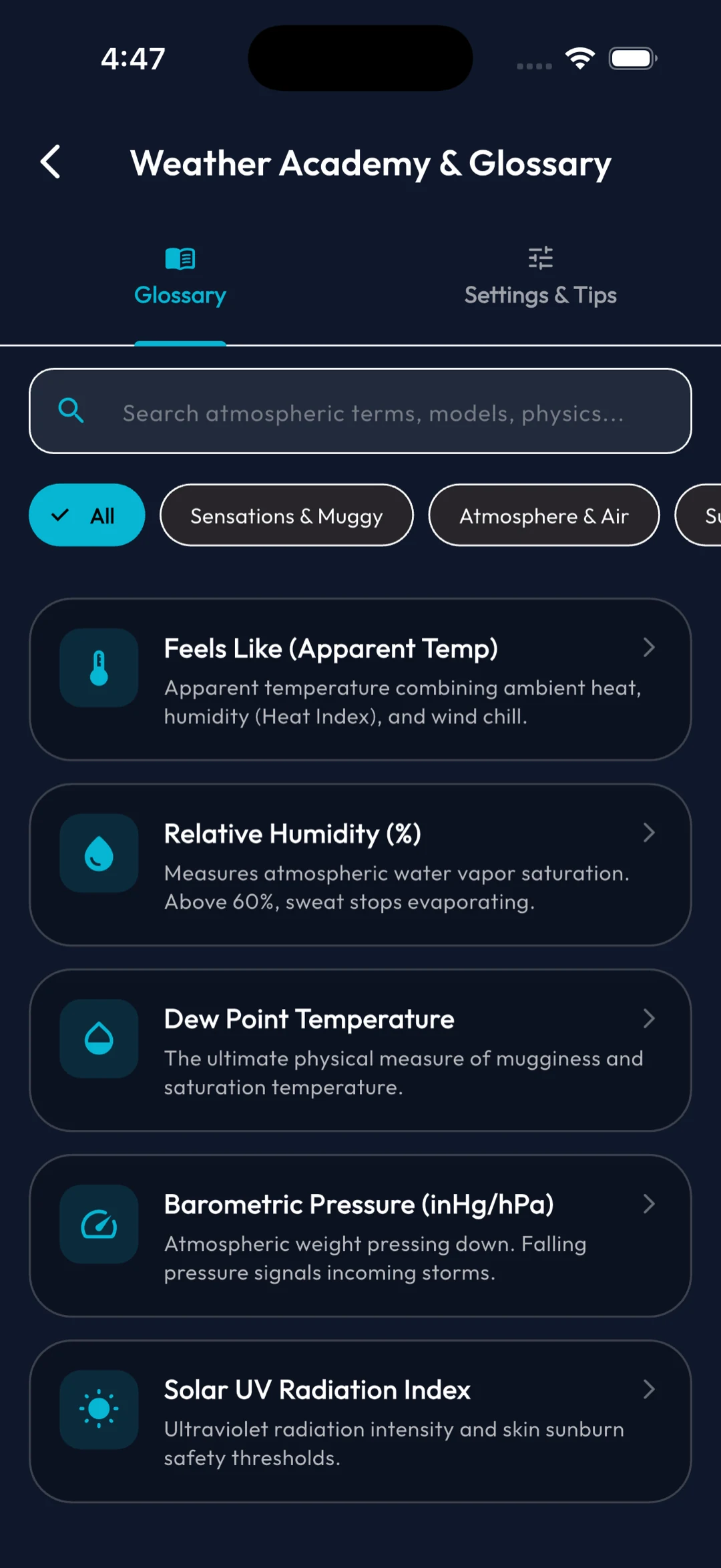
Weather Academy
Answers when you are curious
Explore fifty-six topics, from what makes a day feel muggy to how radar works. Search for a term or browse by category.
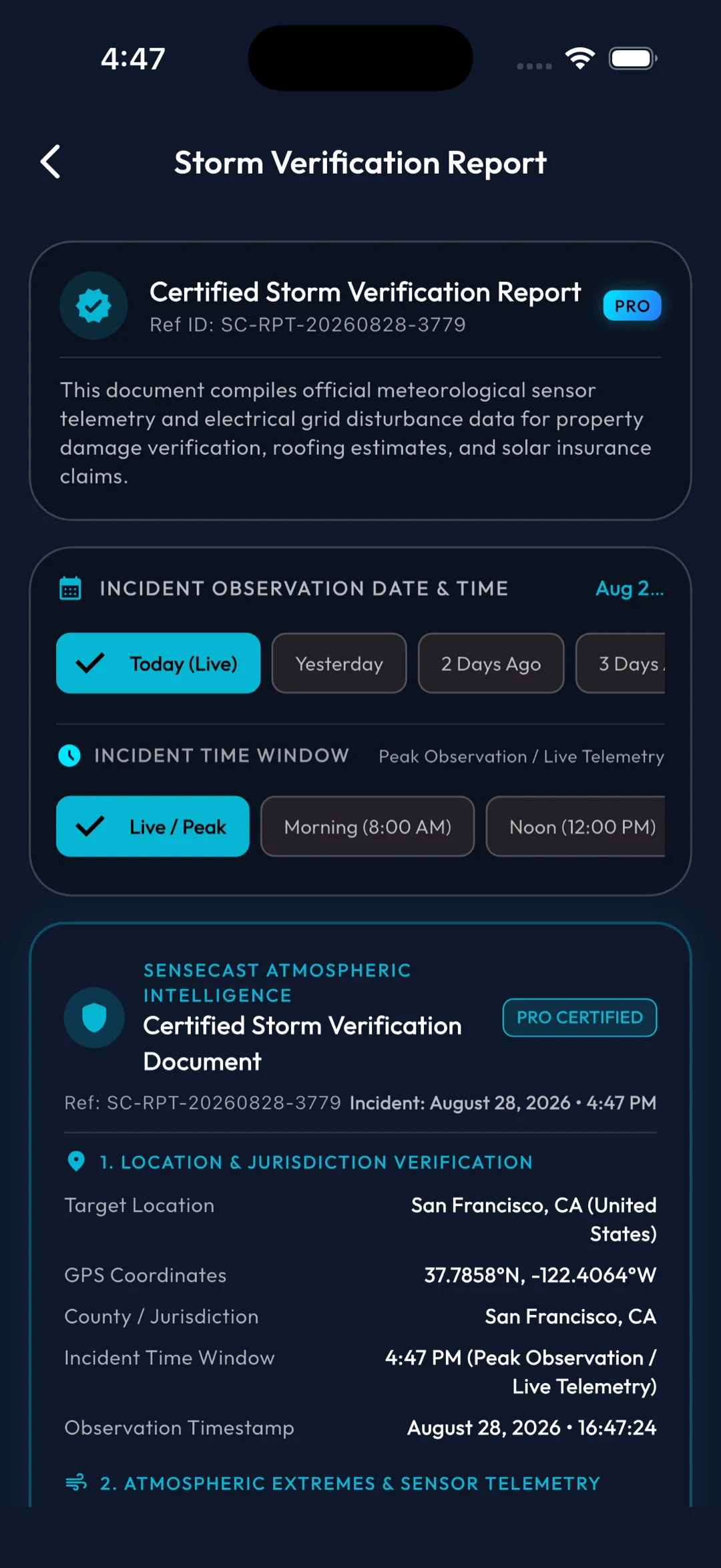
Storm reports Pro
A report you can share
Save weather records for a date and place, with a reference number that can be checked at sensecast.app/verify.
Behind your forecast
Where the numbers come from.
Sensecast chooses a weather source for your location automatically and names it on the forecast. You can use 15 sources free, or add 4 more with Pro, including Apple Weather. Choose another source whenever you like; Pro also lets you compare forecasts side by side. Korea's KMA and Australia's BOM remain listed while their feeds are paused.
Out now
On Google Play
and the App Store.
Start with free forecasts, radar and widgets on Android, iPhone, iPad or Mac. No account needed. No ads.
Not an official warning source — in an emergency, follow your national weather service and local emergency management, not any app.
- Version 1.4.1 · build 157
- Platforms iOS, Android & macOS · web next
- Test suites 2297 unit, widget, state and security
- Stores Google Play · App Store (iPhone, iPad & Mac)
- Billing your app store or Paddle — card details never reach us · refund policy
- Listed on every launch directory we track
The web version is next
One email when the web version lands. No newsletter, no forwarding.